SMS
Register Twilio A2P messaging
Prepare the business information
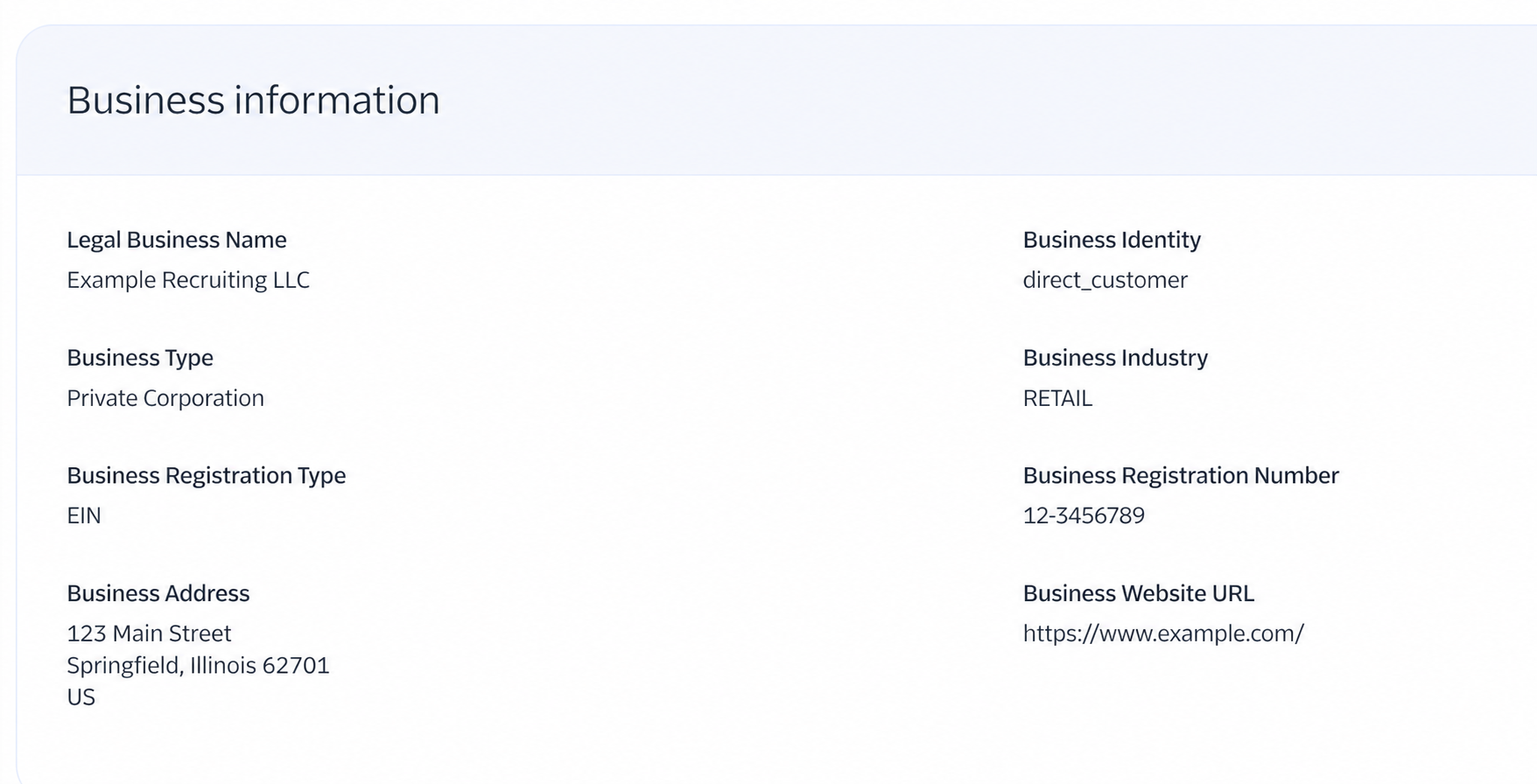
Collect the company’s exact legal registration name, EIN, registered address, public website, and authorized representative before starting. If the company uses a DBA, enter the underlying registered legal entity where Twilio asks for the legal business name.
- Use information that matches government registration records.
- Use a monitored business email address for compliance notifications.
- Do not use the fictional values shown in these screenshots.
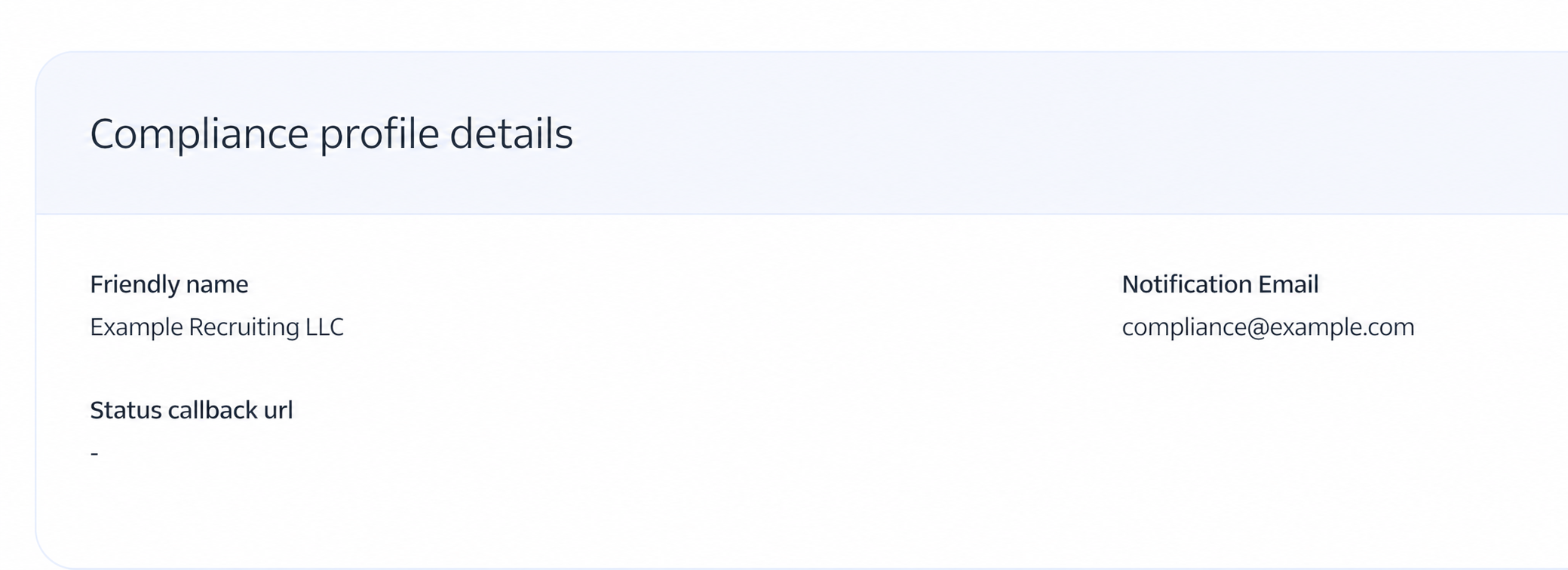
Create the compliance profile
In Twilio, create a customer or business compliance profile and enter the business identity exactly as it appears in official records. Review the registration number, address, industry, and website before submitting.
Add an authorized representative
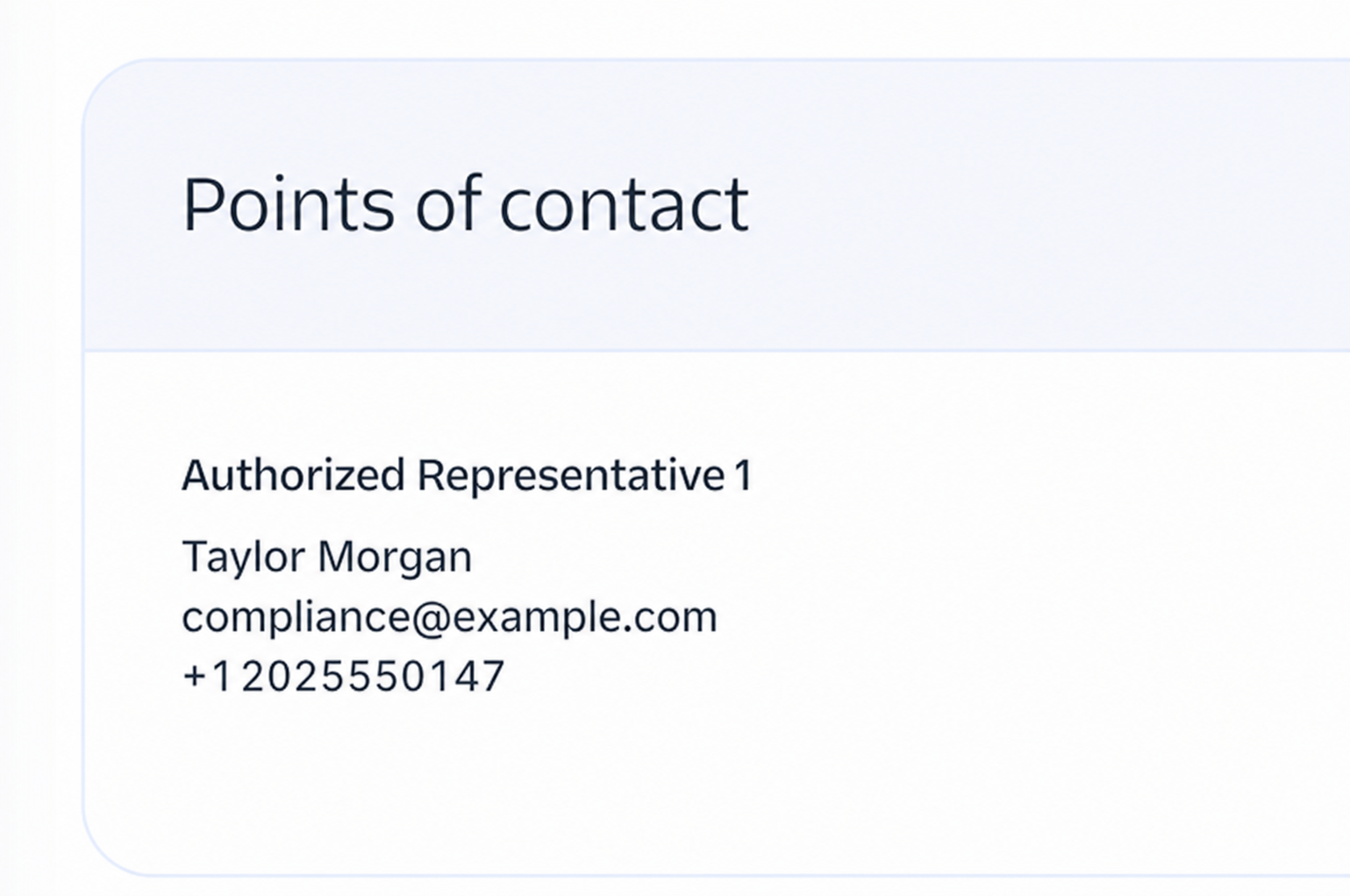
Add a person authorized to represent the company. Enter that person’s real business name, title, phone number, and email in Twilio; the guide screenshot uses fictional values only.
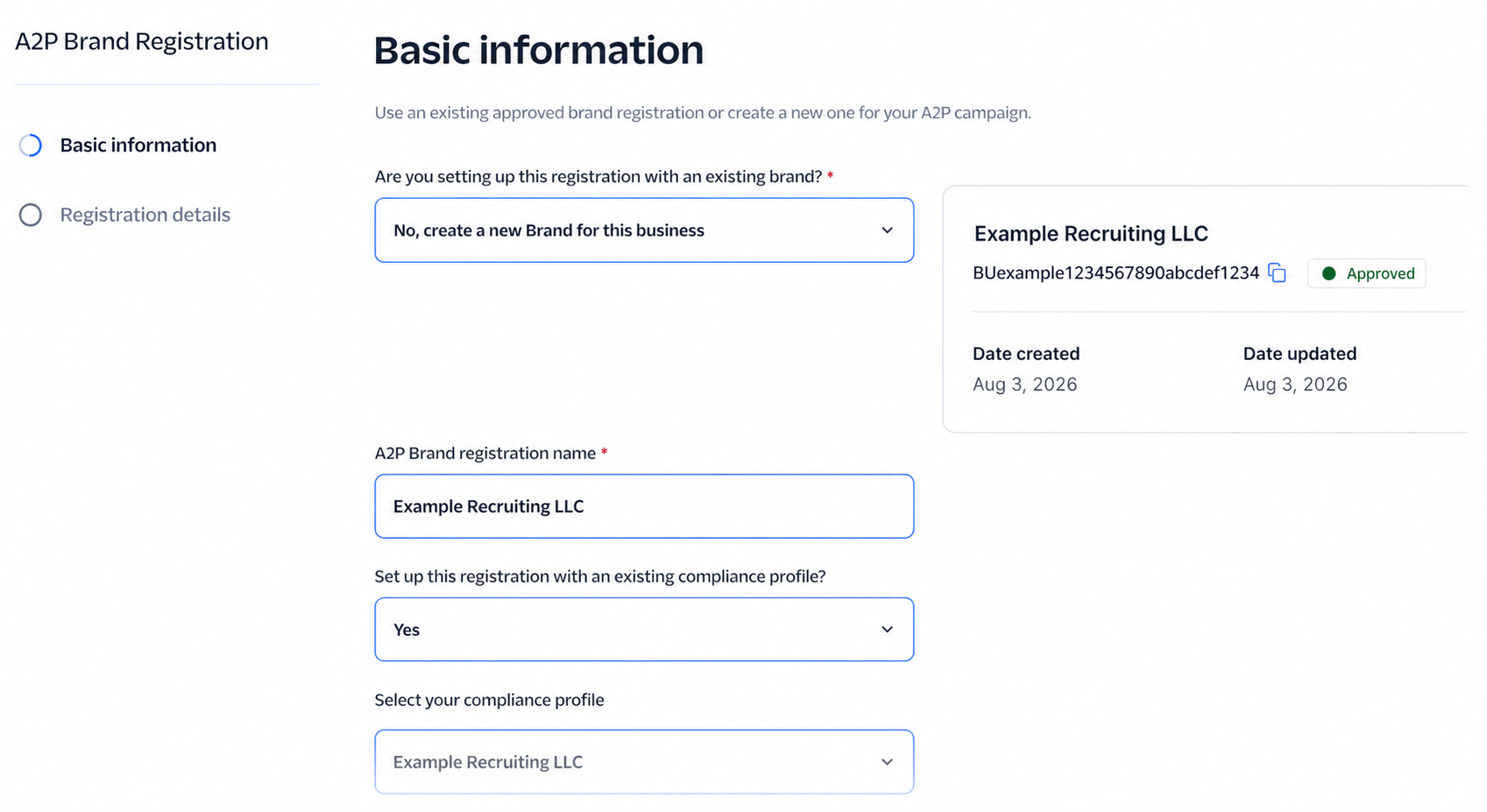
Create the A2P brand registration
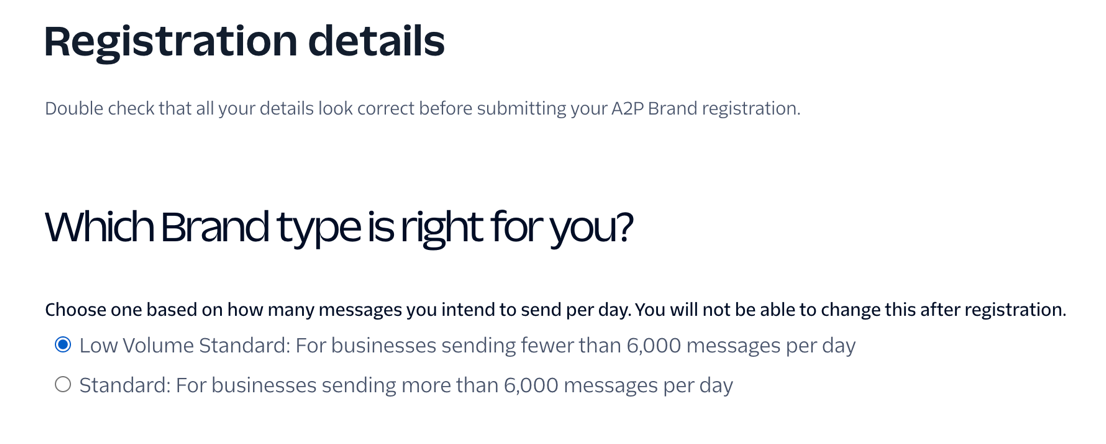
Start A2P Brand Registration and select the brand type that matches expected messaging volume. For a recruiting operation sending fewer than 6,000 messages per day, the low-volume option may be appropriate; confirm the current Twilio limits before submitting because the selection cannot be changed afterward.
Connect the approved compliance profile
Give the brand registration a clear name, select the approved compliance profile, review the information, and submit it. Approval can take time; wait for the brand to show Approved before creating the campaign.
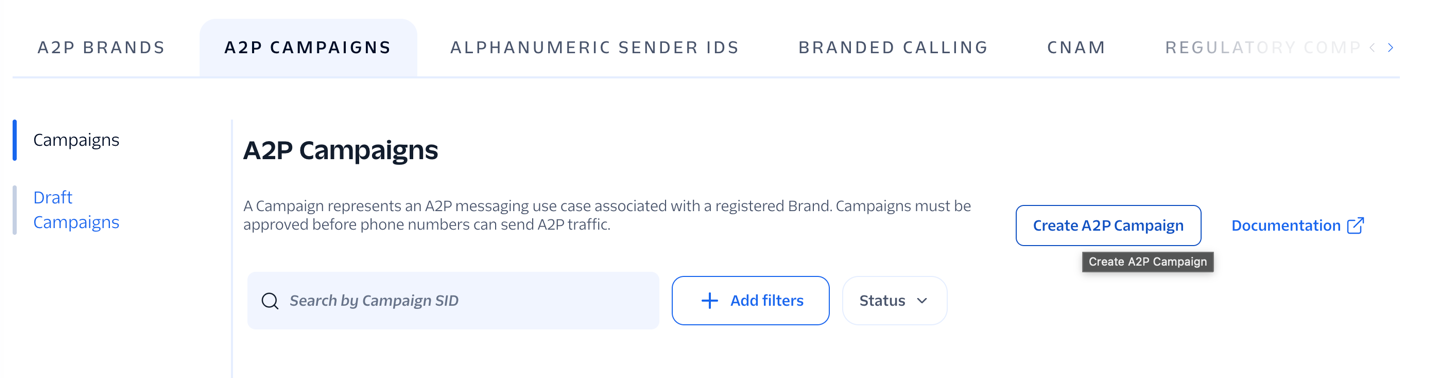
Create an A2P campaign
Open A2P Campaigns and click Create A2P Campaign. Select the approved brand, then use an existing Messaging Service or create a clearly named service for the campaign.
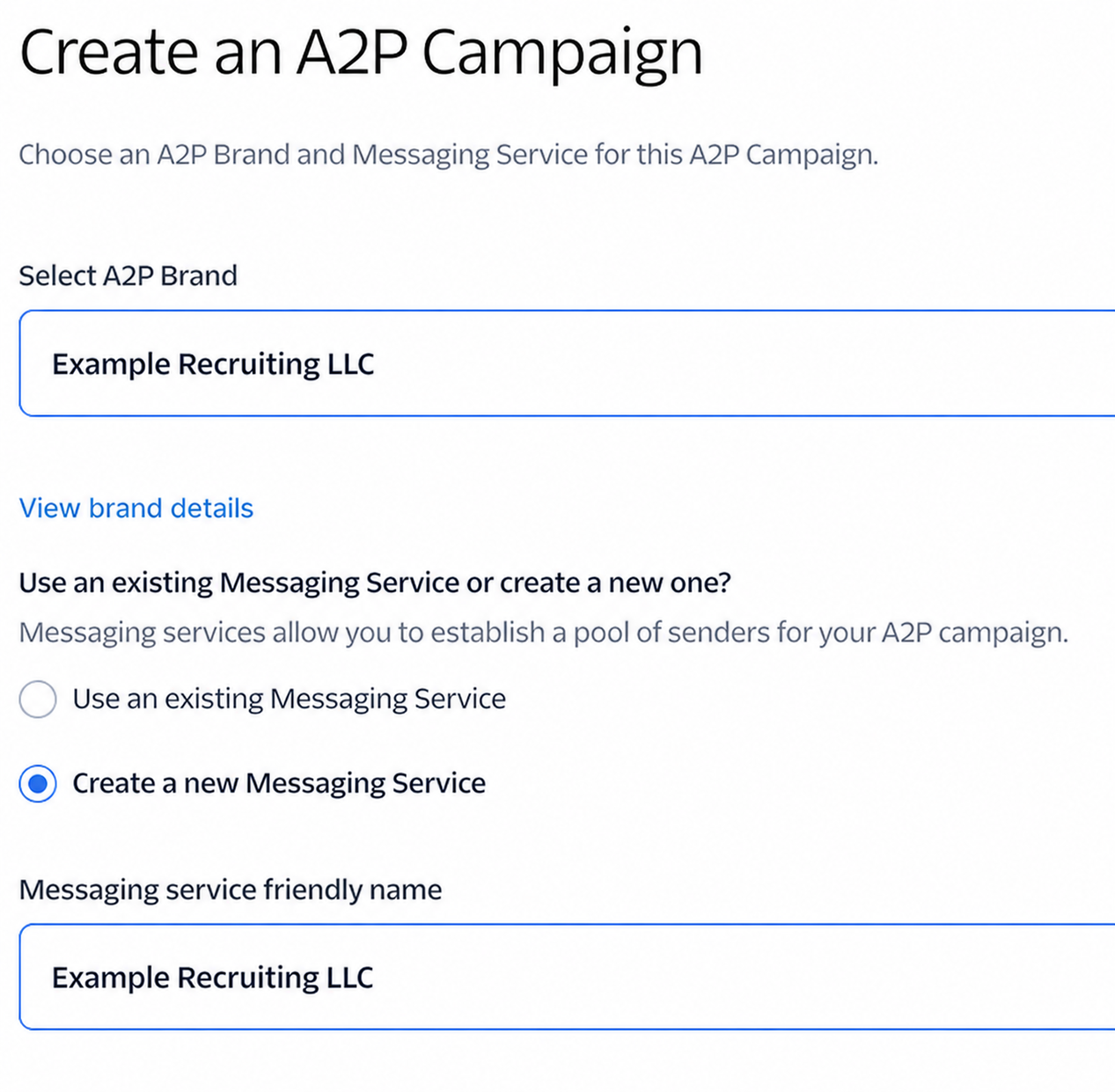
Choose the brand and Messaging Service
Select the approved A2P brand. Choose or create the Messaging Service that will contain the Twilio number used by CareerATS.
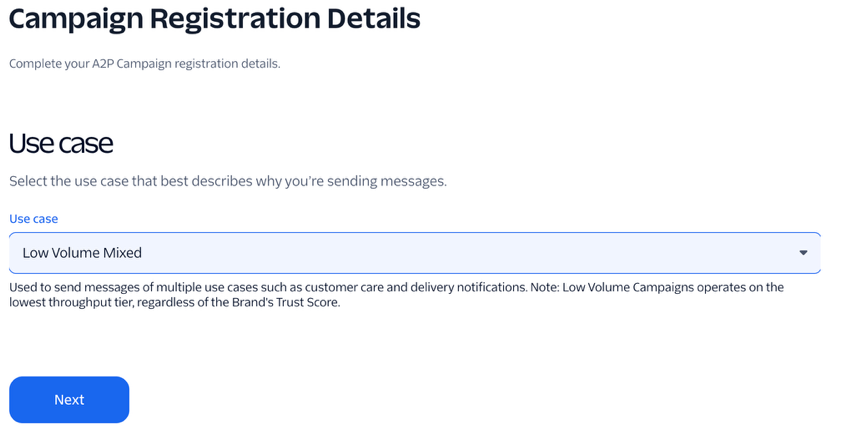
Describe the recruiting use case
Choose the campaign use case that most accurately describes the messages. Describe the campaign plainly, for example: “This campaign sends recruiting updates to candidates about their job applications and scheduled interviews.”
- Sample 1: “Hi Jamie, Example Recruiting LLC reviewed your application and would like to schedule a call. Reply YES to continue receiving messages or STOP to opt out.”
- Sample 2: “Hi Jamie, your interview with Example Recruiting LLC is scheduled for July 31. Reply YES to confirm receipt. Reply STOP to opt out.”
- Make samples match the messages the company will actually send.
Document website consent
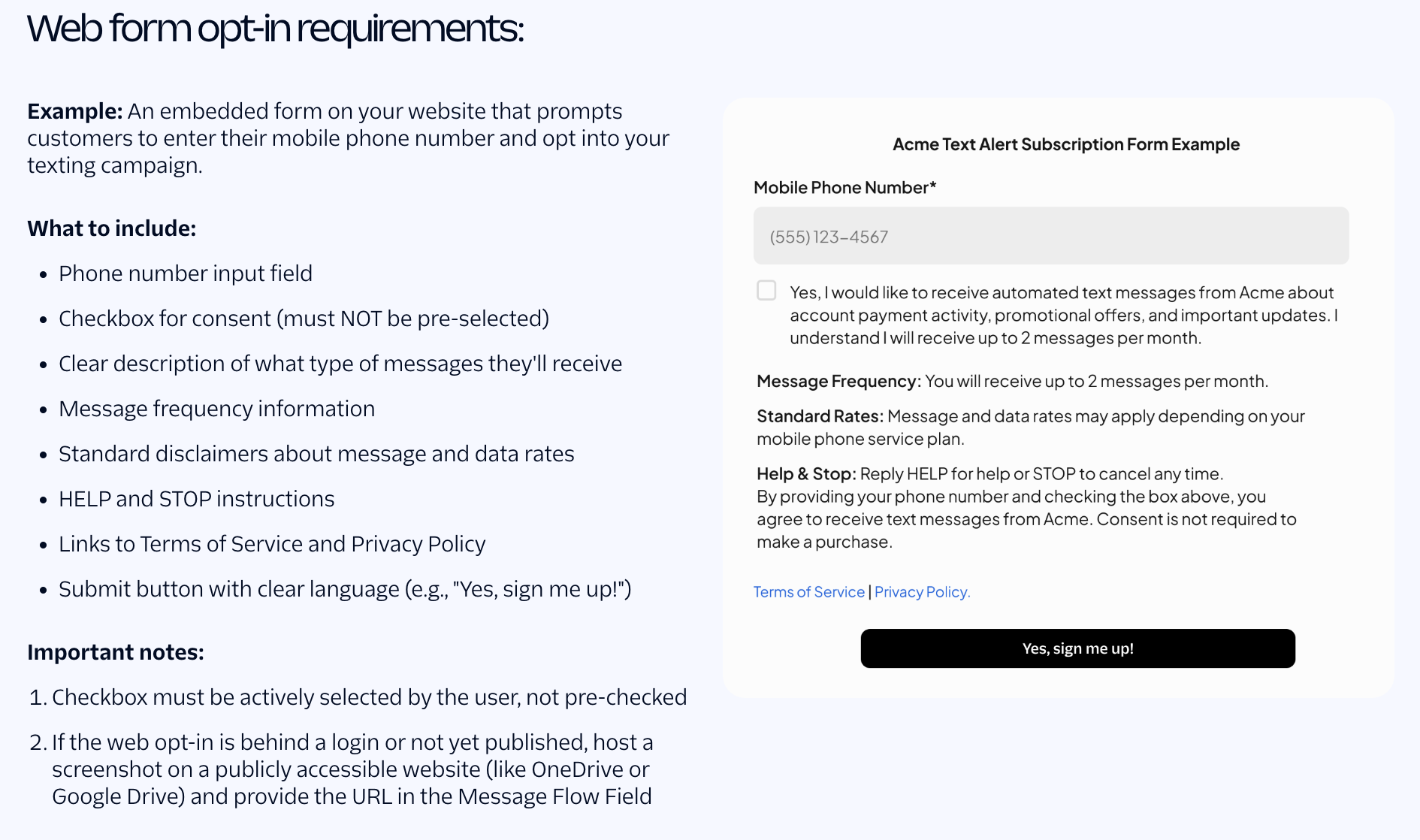
Provide the public URL where applicants actively consent to SMS. The checkbox must not be preselected, and the page should clearly state message purpose and frequency, possible message and data rates, HELP and STOP instructions, and links to Terms of Service and Privacy Policy.
- Explain that applicants opt in while submitting an application or resume.
- Use a public page Twilio reviewers can open without signing in.
- If the form is not public, follow Twilio’s current instructions for providing reviewable evidence.
- The website and submitted campaign description must describe the same consent flow.
Submit and troubleshoot
Submit the campaign and monitor its status in Twilio. If it is rejected, compare the rejection reason with the public opt-in page and Twilio support documentation. When contacting support, include the campaign SID and a detailed description of the consent flow, but never place auth tokens in a support message.
- Check the website consent language and public accessibility first.
- Confirm the sample messages, campaign description, and actual message flow agree.
- Use Twilio Assistant to open a support ticket if documentation does not resolve the issue.