SMS
Create Twilio SMS connection
Open search in Twilio
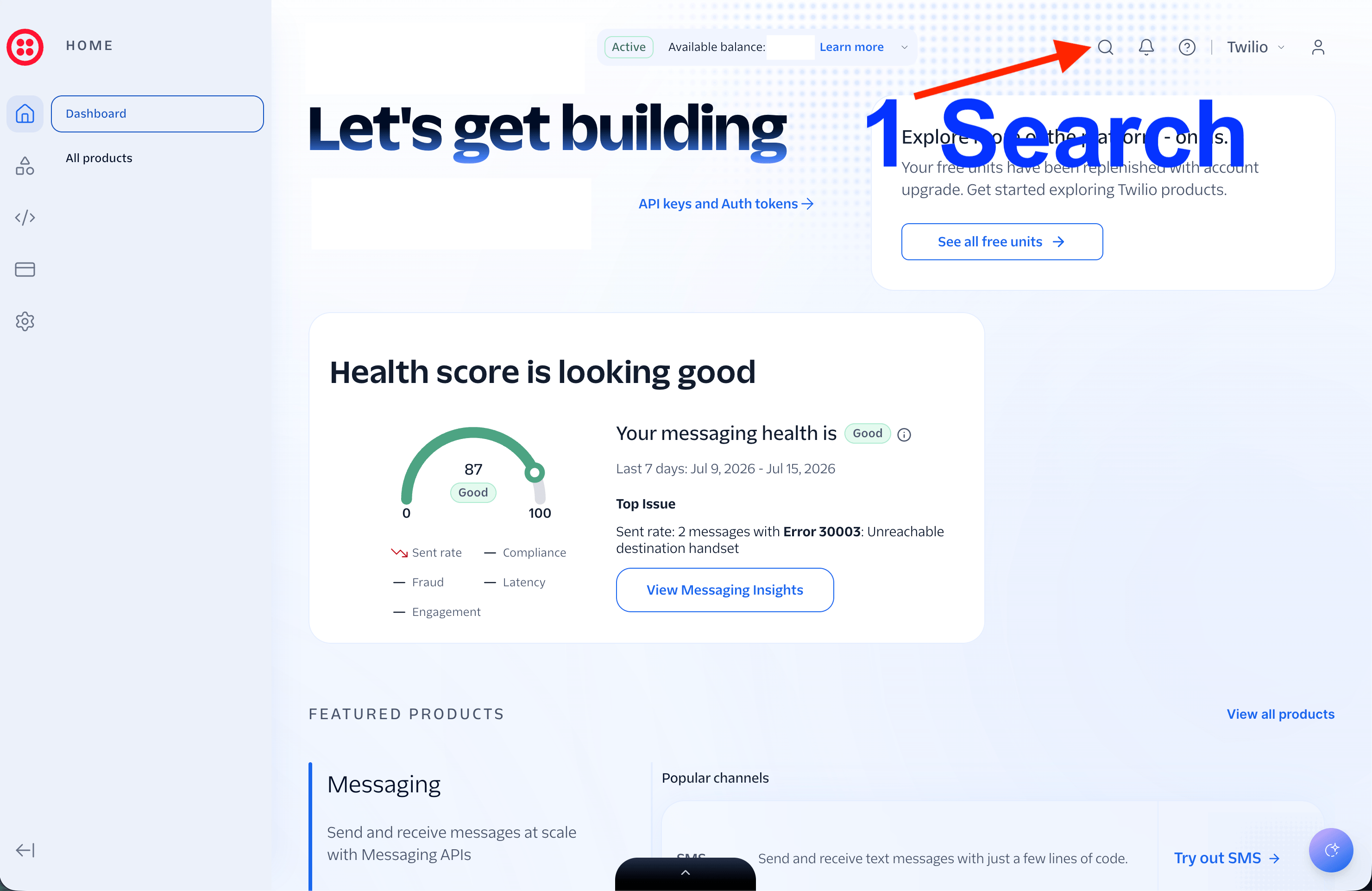
Log in to Twilio, then click the search icon near the top-right of the Twilio dashboard.
Search for API keys
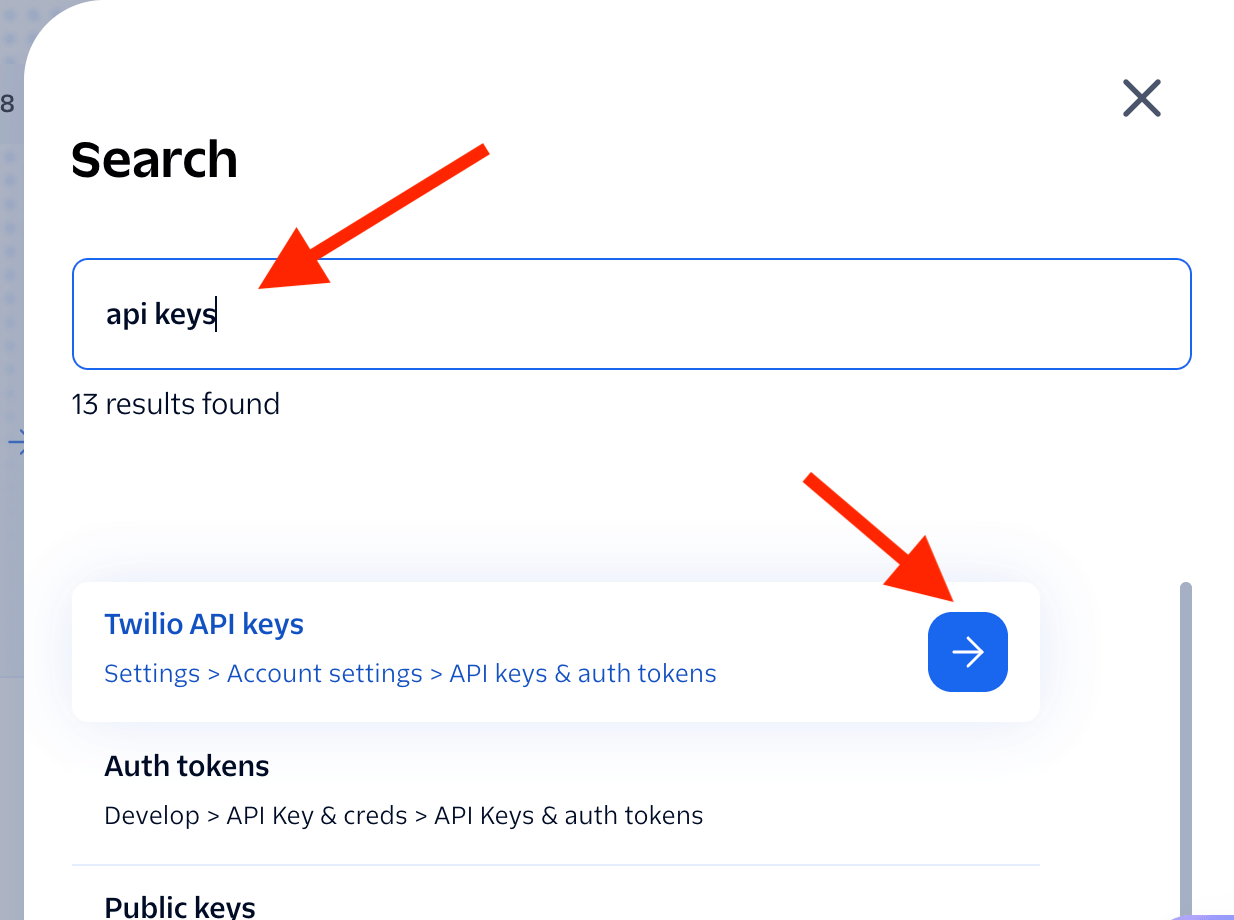
Type api keys into Twilio search, then open the Twilio API keys result.
Copy the Twilio credentials
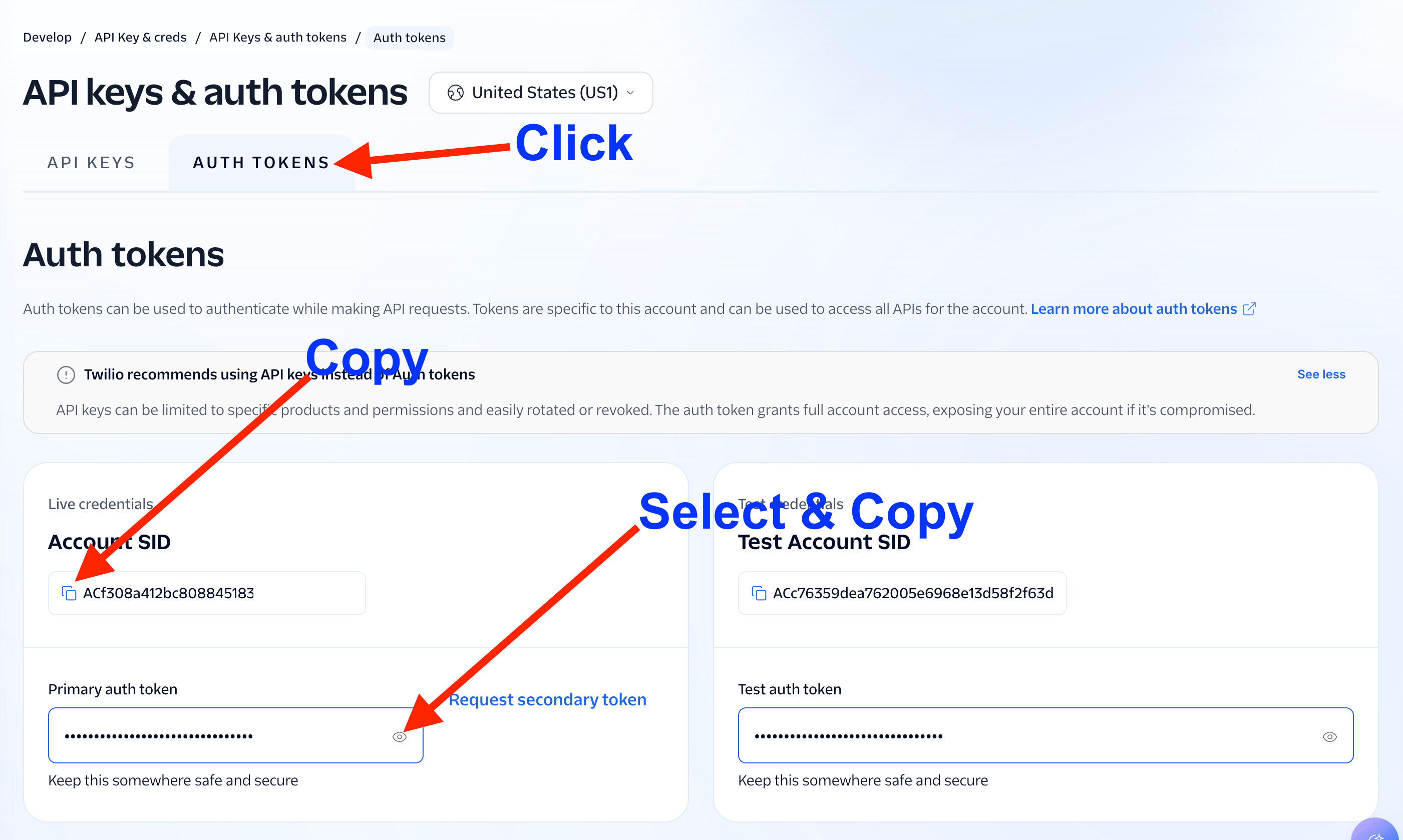
Click the Auth tokens tab. Copy the live Account SID, then reveal and copy the Primary auth token.
- Use the Live credentials, not the Test credentials.
- Keep the Auth token private because it grants access to the Twilio account.
Paste the credentials into CareerATS
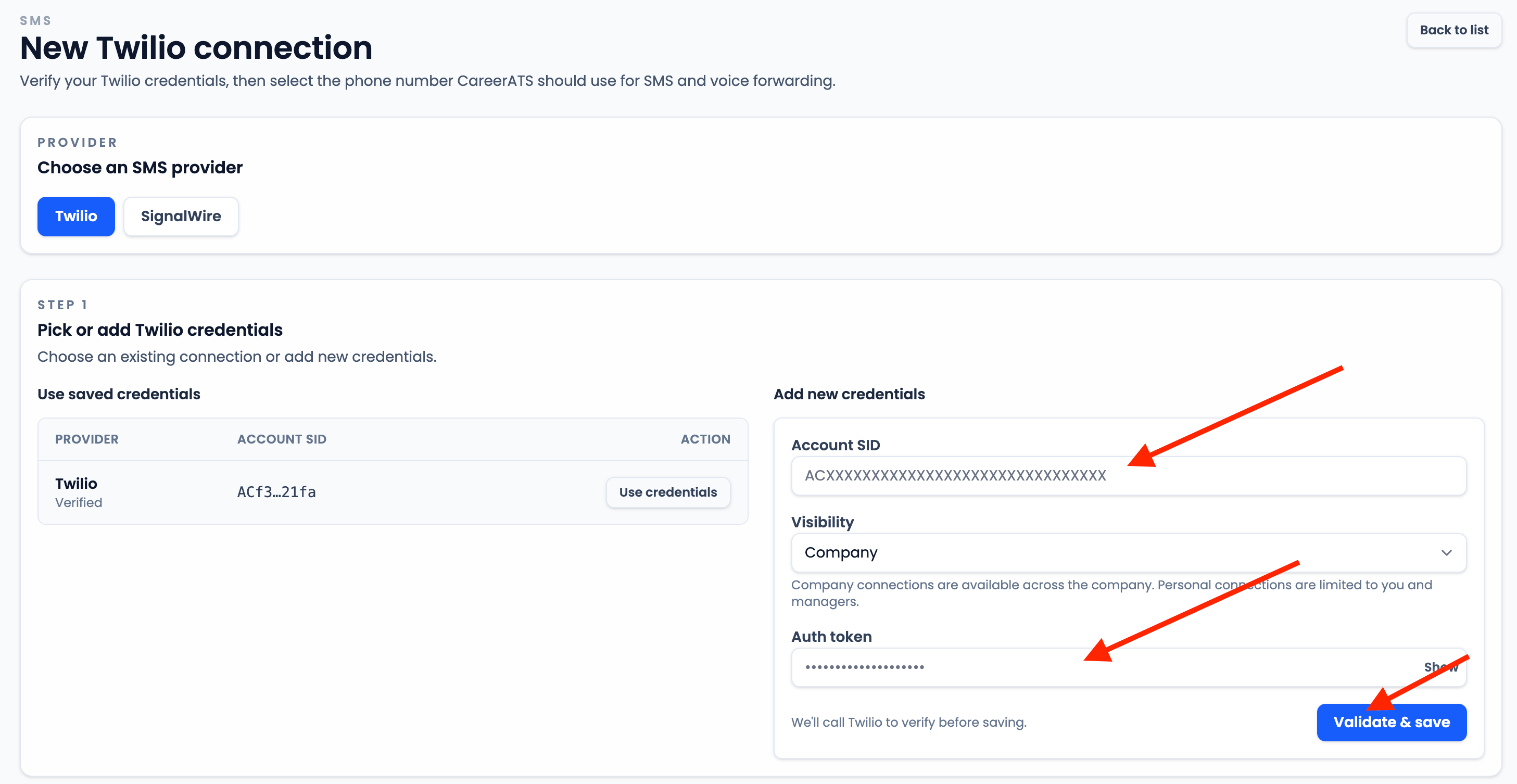
Open CareerATS SMS setup, choose Twilio, paste the Account SID into Account SID, paste the Primary auth token into Auth token, choose the visibility, and click Validate & save.
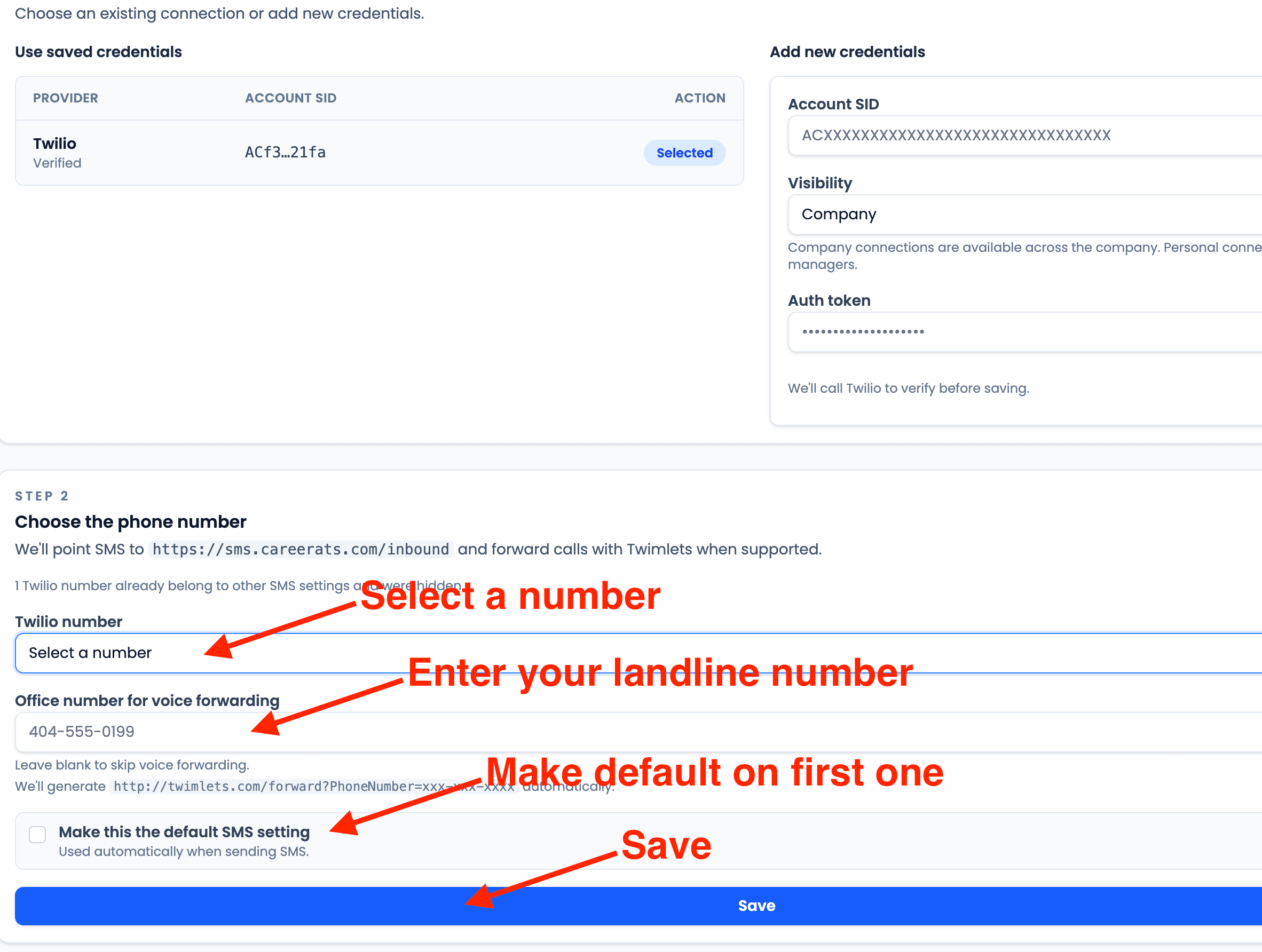
Choose the phone number and save
After the credentials validate, select the Twilio number CareerATS should use. Enter the office number if calls should forward to a landline, leave it blank to skip voice forwarding, choose whether this should be the default SMS setting, and click Save.
- The first SMS setting is automatically locked as the default.
- Use a 10-digit office number such as 404-555-0199 when voice forwarding is needed.
Register the number for A2P messaging
Open the Twilio A2P registration guide
If this Twilio number will send application-to-person SMS in the United States, complete Twilio A2P registration before relying on it for applicant messaging.